


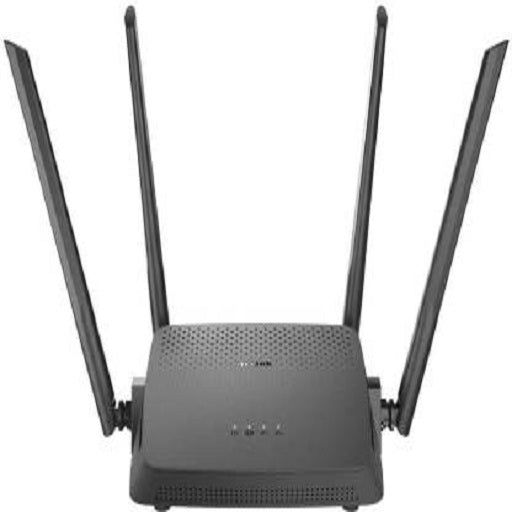
Description
| Brand | D-Link |
| Model | DIR-825 AC1200 Wi-Fi Gigabit |
| In The Box | complete Box |
| Color | Black |
| Type | Wireless Without Modem |
| Frequency | 2.4 GHz, 5 GHz |
| Frequency Band | Dual Band |
| Wireless Speed | 1200 Mbps |
| USB | NA |
| Antennae | External |
| Number of LAN ports | 4 |
| Number of WAN ports | 1 |
| Number of USB Ports | 0 |
| Number of Antennae | 4 |
| Height | 4.59 mm |
| Width | 25.6 mm |
| Depth | 33.61 mm |
| Service Type | 3 year from d-link |
| Covered in Warranty | router |
| Not Covered in Warranty | adapter |
| Warranty Summary | 3 Years |
Isn't a high-speed internet connection really important when you're playing online games or streaming your favourite TV shows It definitely is! Get seamless Wi-Fi performance at home or in office by investing in this D-Link DIR-825 AC Wi-Fi router.

Wide Coverage
This router has 4 high-gain external antennas to provide a wide area of connectivity. It allows multiple devices to stay connected, anywhere inside your home or office.

Lighting Fast Speed
This DIR-825 AC router provides up to 1200 Mbps of total speed. You can get speeds of up to 300 Mbps on 2.4 GHz and 867 Mbps on 5 GHz, and enjoy high-speed online streaming and gaming.

Dual-band for Seamless Performance
This router allows you to operate on two high-speed Wi-Fi bands of 2.4 GHz and 5 GHz. It offers ultimate wireless performance to stream HD content, make online video calls, browse and download media.

Gaming Ready
Never miss another heart-stopping moment while playing your favourite online HD games. This high-speed wireless router with its built-in Quality of Service engine, allows you to prioritise important traffic. This ensures your gaming sessions always remain lag-free.

Gigabit Router
The wireless dual-band Wi-Fi along with the wired 10/100/1000 Gigabit ethernet ports, provide a solid and dependable high-speed internet connection.

Smooth Streaming
Experience smooth video streaming while watching live sports, TV shows, HD videos and movies online.

Data Sharing
You can also connect your USB storage device to the USB port of the router to share data between devices connected on the Network-Attached Storage (NAS).

WPS Support
Easily and securely add any device to your network with the help of the Wi-Fi Protected Setup (WPS) push button.